Likely, these zero-days were only used in targeted attacks, but it’s still strongly advised to install today’s security updates as soon as possible.
Original Posts: Apple security updates fix 2 zero-days used to hack iPhones, Macs

Apple has released new security updates to backport patches released earlier this month to older iPhones and iPads addressing a remotely exploitable WebKit zero-day that allows attackers to execute arbitrary code on unpatched devices.
This zero-day vulnerability is the same one Apple patched for macOS Monterey and iPhone/iPad devices on August 17, and for Safari on August 18.
The flaw is tracked as CVE-2022-3289 and is an out-of-bounds write vulnerability in WebKit, the web browser engine used by Safari and other apps to access the web.
If successfully exploited, it allows attackers to perform arbitrary code execution remotely by tricking their targets into visiting a maliciously crafted website under their control.
In a security advisory published today, Apple once again said that they’re aware of reports that this security issue “may have been actively exploited.”
The list of devices today’s security updates apply to includes iPhone 5s, iPhone 6, iPhone 6 Plus, iPad Air, iPad mini 2, iPad mini 3, and iPod touch (6th generation), all of them running iOS 12.5.6.
Patch your older phones to block attacks
Even though Apple has disclosed that it received reports of active exploitation in the wild, the company is yet to release info regarding these attacks.
By withholding this information, Apple is likely aiming to allow as many users as possible to apply the security updates before other attackers pick up on the zero-day’s details and start deploying exploits in their own attacks targeting vulnerable iPhones and iPads.
Although this zero-day vulnerability was most likely only used in targeted attacks, it’s still strongly advised to install today’s iOS security updates as soon as possible to block potential attack attempts.
The U.S. Cybersecurity and Infrastructure Security Agency (CISA) also added this security bug to its catalog of exploited vulnerabilities on August 19, requiring Federal Civilian Executive Branch (FCEB) agencies to patch it to protect “against active threats.”
This is the seventh zero-day bug fixed by Apple since the start of the year:
In March, Apple patched two zero-day bugs in the Intel Graphics Driver (CVE-2022-22674) and AppleAVD (CVE-2022-22675).
In February, Apple released security updates to fix another WebKit zero-day bug exploited in attacks against iPhones, iPads, and Macs.
In January, Apple patched two other exploited zero-days that enabled code execution with kernel privileges (CVE-2022-22587) and web browsing activity tracking (CVE-2022-22594).
Original Posts: Apple backports fix for actively exploited iOS zero-day to older iPhones
Microsoft has released the optional KB5016691 Preview cumulative update for Windows 11 with 22 fixes or improvements.
This Windows 11 cumulative update is part of Microsoft’s August 2022 monthly “C” update, allowing users to test upcoming fixes coming in the September 2022 Patch Tuesday.
As preview updates do not contain security fixes, they are optional and will not be installed automatically.
Windows users can install the KB5016691 update by going into Settings, clicking on Windows Update, and selecting ‘Check for Updates.’ As this is an optional update, you will be prompted to click on the download and install button before Windows 11 will install the update.
Windows 11 users can download and manually install the KB5016691 update from the Microsoft Update Catalog.
After installing the KB5016691 update, Windows 11 will change its build number to 22000.918.
The Windows 11 KB5016691 cumulative update preview includes 22 improvements or fixes, with the 12 highlighted ones listed below:
In addition to these highlighted fixes, Microsoft is introducing three new features to Windows 11, including improvements to Microsoft Defender to protect against ransomware and advanced attacks.
This update also includes the fixes for domain controller reboots and L2TP VPN connection issues caused by the January 2022 updates.
Microsoft says that there is only one known issue in this update, where Microsoft Outlook search may not show recent emails.
“After installing this update, XPS Viewer might be unable to open XML Paper Specification (XPS) documents in some non-English languages, including some Japanese and Chinese character encodings,” explains the KB5016691 release notes.
“This issue affects both XML Paper Specification (XPS) and Open XML Paper Specification (OXPS) files.”
You can find a complete list of improvements and fixes in the KB5016691 support bulletin.
Original Posts: Windows 11 KB5016691 preview update released with 22 changes
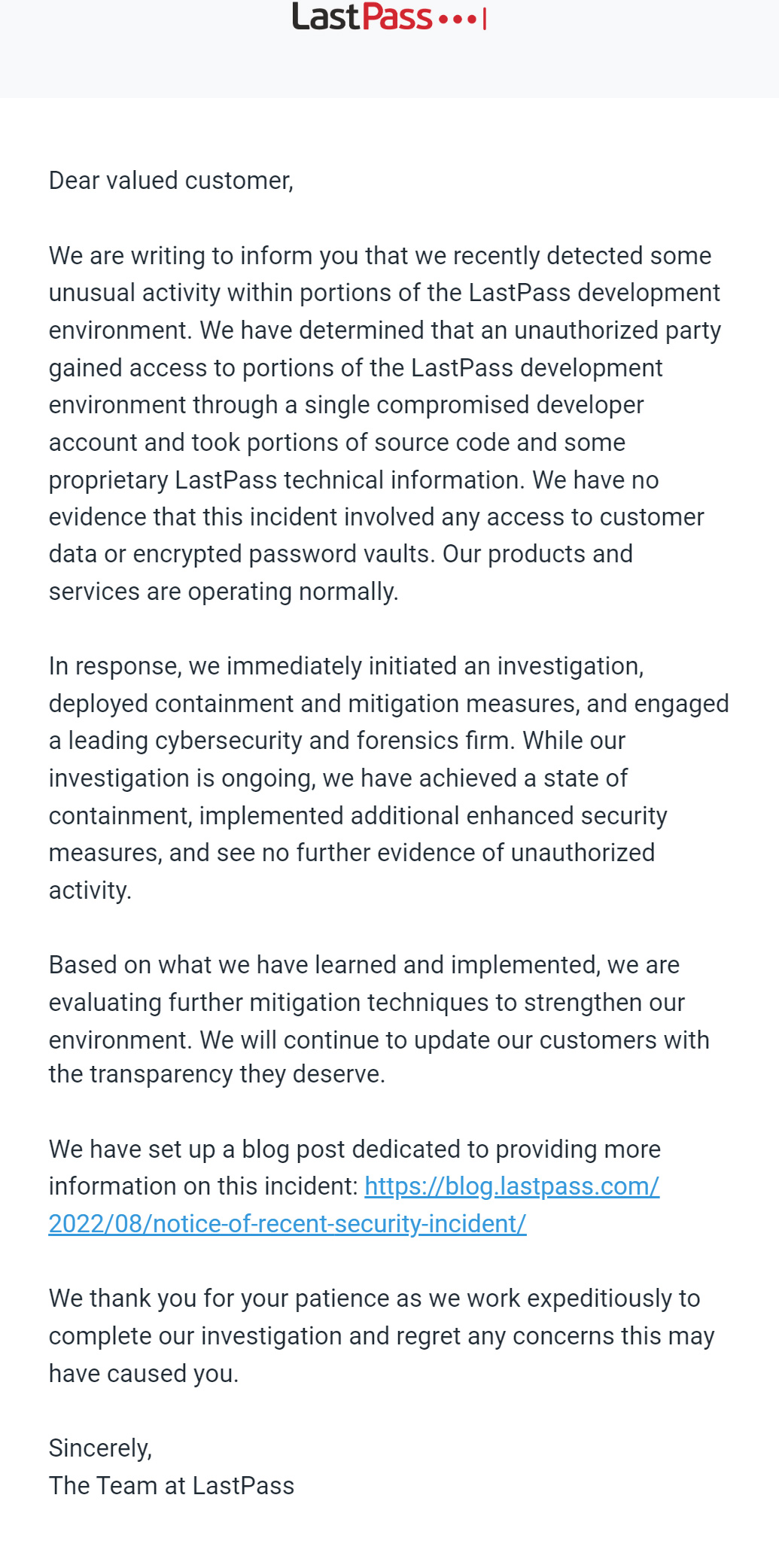
Password management firm LastPass was hacked two weeks ago, enabling threat actors to steal the company’s source code and proprietary technical information.
After sending questions about the attack, LastPass released a security advisory today confirming that it was breached through a compromised developer account that hackers used to access the company’s developer environment.
While LastPass says there is no evidence that customer data or encrypted password vaults were compromised, the threat actors did steal portions of their source code and “proprietary LastPass technical information.”
“In response to the incident, we have deployed containment and mitigation measures, and engaged a leading cybersecurity and forensics firm,” explains the LastPass advisory.
“While our investigation is ongoing, we have achieved a state of containment, implemented additional enhanced security measures, and see no further evidence of unauthorized activity.”
LastPass has not provided further details regarding the attack, how the threat actors compromised the developer account, and what source code was stolen.
The full security advisory emailed to LastPass customers can be read below.
LastPass is one of the largest password management companies in the world, claiming to be used by over 33 million people and 100,000 businesses.
As consumers and businesses use the company’s software to store their passwords securely, there are always concerns that if the company was hacked it could allow threat actors access to stored passwords.
However, LastPass stores passwords in ‘encrypted vaults’ that can only be decrypted using a customer’s master password, which LastPass says was not compromised in this cyberattack.
Last year, LastPass suffered a credential stuffing attack that allowed threat actors to confirm a user’s master password. It was also revealed that LastPass master passwords were stolen by threat actors distributing the RedLine password-stealing malware.
Due to this, it is vital to enable multi-factor authentication on your LastPass accounts so that threat actors won’t be able to access your account even if your password is compromised.
Original Posts: LastPass developer systems hacked to steal source code
State-sponsored Iranian hacking group Charming Kitten has been using a new tool to download email messages from targeted Gmail, Yahoo, and Microsoft Outlook accounts.
The name of the utility is Hyperscraper and like many of the threat actor’s tools and operations, it is far from sophisticated.
But its lack of technical complexity is balanced by effectiveness, allowing the hackers to steal a victim’s inbox without leaving many hints of the intrusion.
In a technical report today, researchers from Google’s Threat Analysis Group (TAG) share details about Hyperscraper’s functionality and say that it is under active development.
Google TAG attributes the tool to Charming Kitten, an Iranian-backed group that is also known as APT35 and Phosphorus, and says that the earliest sample they found dates from 2020.
The researchers found Hyperscraper in December 2021 and analyzed it using a test Gmail account. It is not a hacking tool but an instrument that helps the attacker steal email data and store it on their machine after logging into the victim’s email account.
Getting the credentials (username and password, authentication cookies) for the target inbox is done in a previous step of the attack, typically by stealing them.
Hyperscraper has an embedded browser and spoofs the user agent to mimic an outdated web browser, which provides a basic HTML view of the Gmail account’s content.
“Once logged in, the tool changes the account’s language settings to English and iterates through the contents of the mailbox, individually downloading messages as .eml files and marking them unread” – Google TAG
When the exfiltration completes, Hyperscraper changes the language to the original setting and deleted the security alerts from Google for a minimum footprint.
Google TAG researchers say that older variants of Charming Kitten’s utility could request data from Google Takeout, a service that allows users to export data from their Google account to back it up or to use it with a third-party service.
When running, Hyperscraper communicates with a command and control (C2) server waiting for confirmation to start the exfiltration process.
The operator can configure the tool with the necessary parameters (operation mode, path to a valid cookie file, identifier string) by using command-line arguments or through a minimal user interface.
If the path to the cookie file has not been provided over the command line, the operator can drag and drop it into a new form.
Once the cookie has been parsed successfully and added to the local cache of the web browser, Hyperscraper creates a “Download” folder where it dumps the contents of the target inbox.
The researchers note that if the cookie does not provide access to the account, the operator can log in manually.
Hypercraper automates going through all the sections of an email account, opens messages and downloads them in .EML format, and leaves them as originally found.
If a message was initially marked as unread, Charming Kitten’s tool leaves it in the same state after copying it.
Hyperscraper saves all the emails locally, on the operator’s machine, along with logs showing a count of the stolen messages and does not send to the C2 server other data than the status and system information.
At the end of the task, Hyperscraper covers its tracks by deleting any emails from Google that could alert the victim of the threat actor’s activity (security notifications, sign-in attempts, access to apps, availability of data archive).
Google has observed Hyperscraper being used on a small number of accounts, “fewer than two dozen,” all belonging to users in Iran.
Charming Kitten’s targets where Hyperscraper was used have been notified through warnings about government-backed attacks.
Users that received such a warning are encouraged to bolster their defenses against more sophisticated attackers by enrolling in Google’s Advanced Protection Program (AAP) and by activating the Enhanced Safe Browsing feature, both provided an added security layer to existing protection mechanisms.
Google TAG’s report on Hyperscraper today shares indicators of compromise such as two C2 servers and hashes for the tools binaries found.
Original Posts: Google: Iranian hackers use new tool to steal email from victims
A new batch of thirty-five malware Android apps that display unwanted advertisements was found on the Google Play Store, with the apps installed over 2 million times on victims’ mobile devices.
The apps were found by security researchers at Bitdefender, who employed a real-time behavior-based analysis method to discover the potentially malicious applications.
Following standard tactics, the apps lure users into installing them by pretending to offer some specialized functionality but change their name and icon immediately after installation, making them difficult to find and uninstall.
From then on, the malicious apps begin to serve intrusive advertisements to the users by abusing WebView, generating fraudulent impressions and ad revenue for their operators.
Additionally, because these apps use their own framework to load the ads, it would likely be possible to drop additional payloads on a compromised device.
As Bitdefender explains in the report, the adware apps implement multiple methods to hide on Android and even receive later updates to make it easier to hide on devices.
After installation, the apps typically assume a cog icon and rename themselves as ‘Settings,’ to evade detection and deletion.
If the user clicks on the icon, the app launches the malware app with a 0 size to hide from view. The malware then launches the legitimate Settings menu to trick users into thinking they launched the correct app.
In some cases, the apps assume the appearance of Motorola, Oppo, or Samsung system apps.
The malicious apps also feature heavy code obfuscation and encryption to thwart reverse engineering efforts, hiding the main Java payload inside two encrypted DEX files.
Another method for the apps to hide from the user is to exclude themselves from the ‘Recent apps’ list, so even if they run in the background, exposing active processes won’t reveal them.
The 35 malicious Android applications have download counts ranging from 10,000 to 100,000, totaling over two million downloads.
The most popular of these, having 100k downloads each, are the following:
Of the above, ‘Walls light – Wallpapers Pack’, ‘Animated Sticker Master’, and ‘GPS Location Finder’ are still available on the Play Store when writing this article.
.png)
The rest of the listed apps are available on multiple third-party app stores like APKSOS, APKAIO, APKCombo, APKPure, and APKsfull, but the presented download counts are from their time on the Play Store.
That said, if you have installed any of these apps in the past, you should locate and remove them from your device immediately.
Because the apps masquerade themselves as Settings, running a mobile AV tool to locate and remove them might be helpful in this case.
Original Posts: Android malware apps with 2 million installs found on Google Play
Apple has released emergency security updates today to fix two zero-day vulnerabilities previously exploited by attackers to hack iPhones, iPads, or Macs.
Zero-day vulnerabilities are security flaws known by attackers or researchers before the software vendor has become aware or been able to patch them. In many cases, zero-days have public proof-of-concept exploits or are actively exploited in attacks.
Today, Apple has released macOS Monterey 12.5.1 and iOS 15.6.1/iPadOS 15.6.1 to resolve two zero-day vulnerabilities that are reported to have been actively exploited.
The two vulnerabilities are the same for all three operating systems, with the first tracked as CVE-2022-32894. This vulnerability is an out-of-bounds write vulnerability in the operating system’s Kernel.
The kernel is a program that operates as the core component of an operating system and has the highest privileges in macOS, iPadOS, and iOS.
An application, such as malware, can use this vulnerability to execute code with Kernel privileges. As this is the highest privilege level, a process would be able to perform any command on the device, effectively taking complete control over it.
The second zero-day vulnerability is CVE-2022-32893 and is an out-of-bounds write vulnerability in WebKit, the web browser engine used by Safari and other apps that can access the web.
Apple says this flaw would allow an attacker to perform arbitrary code execution and, as it’s in the web engine, could likely be exploited remotely by visiting a maliciously crafted website.
The bugs were reported by anonymous researchers and fixed by Apple in iOS 15.6.1, iPadOS 15.6.1, and macOS Monterey 12.5.1 with improved bounds checking for both bugs.
The list of devices affected by both vulnerabilities are:
Apple disclosed active exploitation in the wild, however, it did not release any additional info regarding these attacks.
Likely, these zero-days were only used in targeted attacks, but it’s still strongly advised to install today’s security updates as soon as possible.
Original Posts: Apple security updates fix 2 zero-days used to hack iPhones, Macs
Google has released a security update for the Chrome browser that addresses close to a dozen vulnerabilities, including a zero-day flaw that is being exploited in the wild.
The security update is currently rolling out for Windows, Mac and Linux. Users who have automatic updates turned on should receive it in the coming days/weeks.
Google doesn’t typically provide many technical details about the zero-day vulnerabilities they fix until a large number of Chrome users have applied the security update.
The most recent one is tracked as CVE-2022-2856 and it is described as a high-severity security issue due to “insufficient validation of untrusted input in Intents,” a feature that enables launching applications and web services directly from a web page.
Bad input validation in software can serve as a pathway to overriding protections or exceeding the scope of the intended functionality, potentially leading to buffer overflow, directory traversal, SQL injection, cross-site scripting, null byte injection, and more.
The vulnerability was discovered and reported by Ashley Shen and Christian Resell, both members of the Google Threat Analysis Group (TAG).
“Google is aware that an exploit for CVE-2022-2856 exists in the wild,” explains the internet giant in the security advisory published yesterday.
To perform the update now, head to the browser’s settings, select “About Chrome” and let the browser’s internal checker scan for available updates. After the download is complete, restart the program to apply the security update.
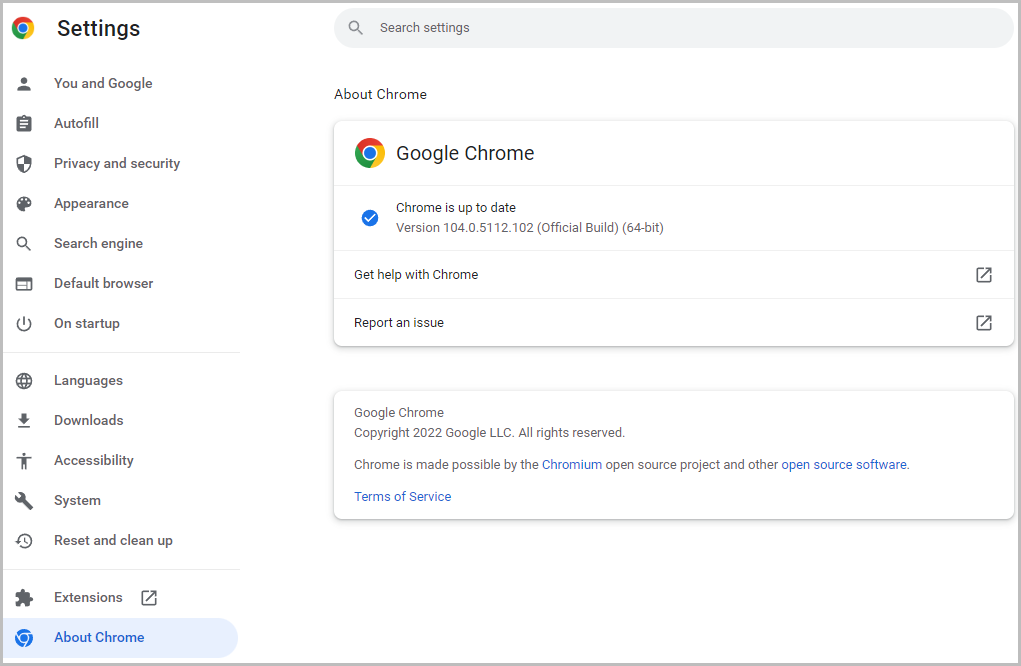
Because the latest Google Chrome update fixes a flaw already exploited by threat actors, it is recommended switch to the latest version of the browser as soon as possible.
Original Posts: Google fixes fifth Chrome zero-day bug exploited this year
Researchers have discovered at least 9,000 exposed VNC (virtual network computing) endpoints that can be accessed and used without authentication, allowing threat actors easy access to internal networks.
VNC (virtual network computing) is a platform-independent system meant to help users connect to systems that require monitoring and adjustments, offering control of a remote computer via RFB (remote frame buffer protocol) over a network connection.
If these endpoints aren’t properly secured with a password, which is often the result of negligence, error, or a decision taken for convenience, they can serve as entry points for unauthorized users, including threat actors with malicious intentions.
Security weakness hunters at Cyble scanned the web for internet-facing VNC instances with no password and found over 9,000 accessible servers.
Most of the exposed instances are located in China and Sweden, while the United States, Spain, and Brazil followed in the top 5 with significant volumes of unprotected VNCs.
To make matters worse, Cybcle found some of these exposed VNC instances to be for industrial control systems, which should never be exposed to the Internet.
“During the course of the investigation, researchers were able to narrow down multiple Human Machine Interface (HMI) systems, Supervisory Control And Data Acquisition Systems (SCADA), Workstations, etc., connected via VNC and exposed over the internet,” details Cyble in the report.
In one of the explored cases, the exposed VNC access led to an HMI for controlling pumps on a remote SCADA system in an unnamed manufacturing unit.
To see how often attackers target VNC servers, Cyble used its cyber-intelligence tools to monitor for attacks on port 5900, the default port for VNC. Cyble found that there were over six million requests over one month.
Most attempts to access VNC servers originated from the Netherlands, Russia, and the United States.
Demand for accessing critical networks via exposed or cracked VNCs is high on hacker forums, as this kind of access can, under certain circumstances, be used for deeper network infiltration.
“Adversaries may abuse VNC to perform malicious actions as the logged-on user such as opening documents, downloading files, and running arbitrary commands,” a Cyble researcher told Bleeping Computer during a private discussion.
“An adversary could use VNC to remotely control and monitor a system to collect data and information to pivot to other systems within the network.”
In other cases, security enthusiasts offer instructions on how users can scan and locate these exposed instances on their own.
A darknet forum post seen by Bleeping Computer features a long list of exposed VNC instances with very weak or no passwords.
VNC admins are advised to never expose servers directly to the Internet, and if they must be remotely accessible, at least place them behind a VPN to secure access to the servers.
Even then, admins should always add a password to instances to restrict access to the VNC servers.
Original Posts: Over 9,000 VNC servers exposed online without a password
Some signed third-party bootloaders for the Unified Extensible Firmware Interface (UEFI) could allow attackers to execute unauthorized code in an early stage of the boot process, before the operating system loads.
Vendor-specific bootloaders used by Windows were found to be vulnerable while the status of almost a dozen others is currently unknown.
Threat actors could exploit the security issue to establish persistence on a target system that cannot be removed by reinstalling the operating system (OS).
Secure Boot is part of the UEFI specification designed to ensure that only trusted code – signed with a specific, vendor-supplied certificate – is executed to start the OS booting process.
The firmware bootloader runs immediately after turning on the system to initialize the hardware and to boot the UEFI environment responsible for launching the Windows Boot Manager.
Eclypsium researchers found that three UEFI bootloaders that were approved by Microsoft had vulnerabilities that permitted bypassing the Secure Boot feature and executing unsigned code:
The three Microsoft-approved UEFI bootloads that were found to bypass the Windows Secure Boot feature and execute unsigned code are:
Microsoft has worked with the last two vendors in the list above and released security update KB5012170 to fix the problem in the provided bootloader.
As part of this fix, Microsoft has blocked all of their required certificates that were issued with the Security Update Release from July 2022.
The researchers say that exploiting the vulnerabilities in these two bootloaders “could be easily automated using startup scripts.”
Since the behavior of these two shells is visible on systems with a monitor, users may might notice a red flag.
However, exploiting the vulnerability affecting the New Horizon Datasys bootloader is much stealthier and users would not have any indication of an attack.
“This bootloader contains a built-in bypass for Secure Boot that leaves Secure Boot on but disables the Secure Boot checks” – Eclypsium
Threat actors exploiting CVE-2022-34302 would have an easier task on their hands than with the other two flaws and could disable security handlers by executing unsigned code directly.
Eclypsium researchers say that exploiting CVE-2022-34302 is so easy that adversaries are “highly likely” to try to leverage it in attacks.
Attackers exploiting any of the three vulnerabilities require elevated permissions on the system, such as admin on Windows or root on Linux machines, which is far from difficult to achieve on both platforms.
In an advisory this week about the vulnerabilities, the Carnegie Mellon CERT Coordination Center warns that code executed in the early boot stages could “also evade common OS-based and EDR security defenses.”
Carnegie Mellon CERT CC has provided a list with 23 UEFI bootloader vendors, a clear status being available for just three of them: Microsoft (impacted), Phoenix Technologies (not impacted), and Red Hat (not impacted).
The rest of the 20 vendors have also been informed about the issues but it is currently unknown if their products are affected or not.
The list includes names like Acer, AMD, American Megatrends, ASUSTeK, DELL, Google, Hewlett Packard Enterprise, HP, Lenovo, Toshiba, and VAIO Corporation.
A fix for these vulnerabilities should be delivered either by the Original Equipment Manufacturer (OEM) or the OS vendor by updating the UEFI Revocation List – the Secure Boot Forbidden Signature Database (DBX), a database of revoked signatures for previously approved firmware and software that starts systems with UEFI Secure Boot.
Before applying the update the DBX revocation list only after first making sure that the device is not using a vulnerable bootloader or after applying the bootloader update from the vendor, if available.
Original Posts: Microsoft blocks UEFI bootloaders enabling Windows Secure Boot bypass
Microsoft’s August 2022 Patch Tuesday, and with it comes fixes for the actively exploited ‘DogWalk’ zero-day vulnerability and a total of 121 flaws.
Seventeen of the 121 vulnerabilities fixed in today’s update are classified as ‘Critical’ as they allow remote code execution or elevation of privileges.
The number of bugs in each vulnerability category is listed below:
The above counts do not include twenty vulnerabilities previously fixed in Microsoft Edge.
This month’s Patch Tuesday fixes two zero-day vulnerabilities, with one actively exploited in attacks.
Microsoft classifies a vulnerability as a zero-day if it is publicly disclosed or actively exploited with no official fix available.
The actively exploited zero-day vulnerability fixed today is jokingly known as ‘DogWalk” and tracked by Microsoft as ‘CVE-2022-34713 – Microsoft Windows Support Diagnostic Tool (MSDT) Remote Code Execution Vulnerability.’
Security researcher Imre Rad discovered this vulnerability in January 2020, but Microsoft decided not to fix it after deeming it not to be a security vulnerability.
However, after the discovery of the Microsoft Office MSDT vulnerability, security researchers once again pushed to have the DogWalk vulnerability fixed as well, which was done as part of today’s updates.
The other zero-day vulnerability is tracked as ‘CVE-2022-30134 – Microsoft Exchange Information Disclosure Vulnerability’ and allows an attacker to read targeted email messages.
Microsoft says that the CVE-2022-30134 vulnerability is publicly disclosed but has not been detected in attacks.
Other vendors who released updates in August 2022 include:
Below is the complete list of resolved vulnerabilities and released advisories in the August 2022 Patch Tuesday updates. To access the full description of each vulnerability and the systems that it affects, you can view the full report here.
Original Posts: Microsoft August 2022 Patch Tuesday fixes exploited zero-day, 121 flaws
« Previous 1 … 10 11 12 13 14 … 21 Next »